## 摘要
Spring Boot Admin 可以对SpringBoot应用的各项指标进行监控,可以作为微服务架构中的监控中心来使用,本文将对其用法进行详细介绍。
## Spring Boot Admin 简介
SpringBoot应用可以通过Actuator来暴露应用运行过程中的各项指标,Spring Boot Admin通过这些指标来监控SpringBoot应用,然后通过图形化界面呈现出来。Spring Boot Admin不仅可以监控单体应用,还可以和Spring Cloud的注册中心相结合来监控微服务应用。
Spring Boot Admin 可以提供应用的以下监控信息:
* 监控应用运行过程中的概览信息;
* 度量指标信息,比如JVM、Tomcat及进程信息;
* 环境变量信息,比如系统属性、系统环境变量以及应用配置信息;
* 查看所有创建的Bean信息;
* 查看应用中的所有配置信息;
* 查看应用运行日志信息;
* 查看JVM信息;
* 查看可以访问的Web端点;
* 查看HTTP跟踪信息。
## 创建admin-server模块
> 这里我们创建一个admin-server模块来作为监控中心演示其功能。
* 在pom.xml中添加相关依赖:
````
org.springframework.boot
spring-boot-starter-web
de.codecentric
spring-boot-admin-starter-server
````
* 在application.yml中进行配置:
````spring:
application:
name: admin-server
server:
port: 9301
````
* 在启动类上添加@EnableAdminServer来启用admin-server功能:
````
@EnableAdminServer
@SpringBootApplication
public class AdminServerApplication {
public static void main(String[] args) {
SpringApplication.run(AdminServerApplication.class, args);
}
}
````
## 创建admin-client模块
> 这里我们创建一个admin-client模块作为客户端注册到admin-server。
* 在pom.xml中添加相关依赖:
````
org.springframework.boot
spring-boot-starter-web
de.codecentric
spring-boot-admin-starter-client
````
* 在application.yml中进行配置:
```
spring:
application:
name: admin-client
boot:
admin:
client:
url: http://localhost:9301 #配置admin-server地址
server:
port: 9305
management:
endpoints:
web:
exposure:
include: '*'
endpoint:
health:
show-details: always
logging:
file: admin-client.log #添加开启admin的日志监控
```
* 启动admin-server和admin-client服务。
## 监控信息演示
* 访问如下地址打开Spring Boot Admin的主页:[http://localhost:9301](https://link.juejin.cn?target=http%3A%2F%2Flocalhost%3A9301 "http://localhost:9301")
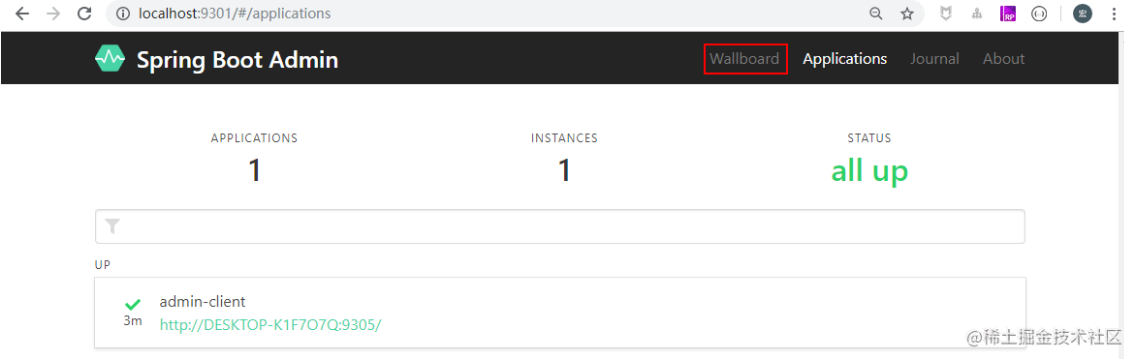
* 点击wallboard按钮,选择admin-client查看监控信息;
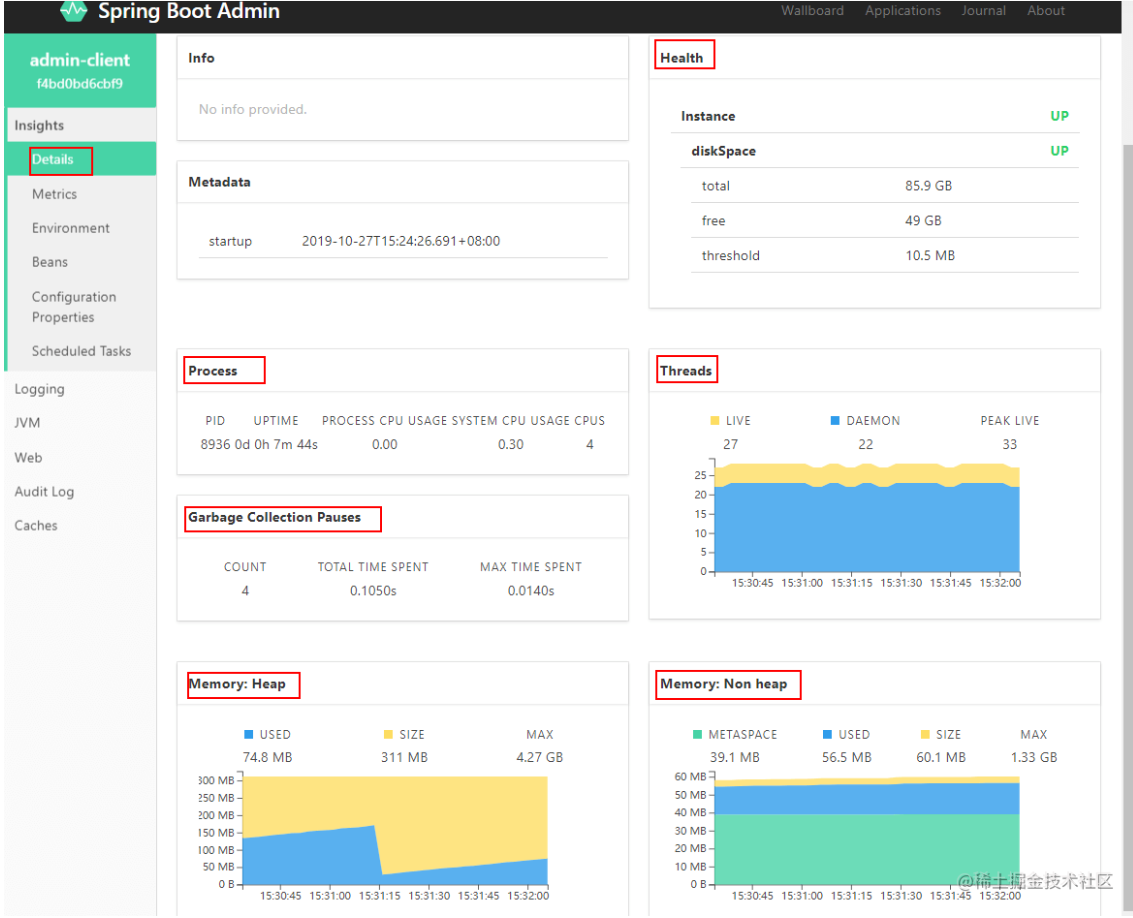
* 监控信息概览;
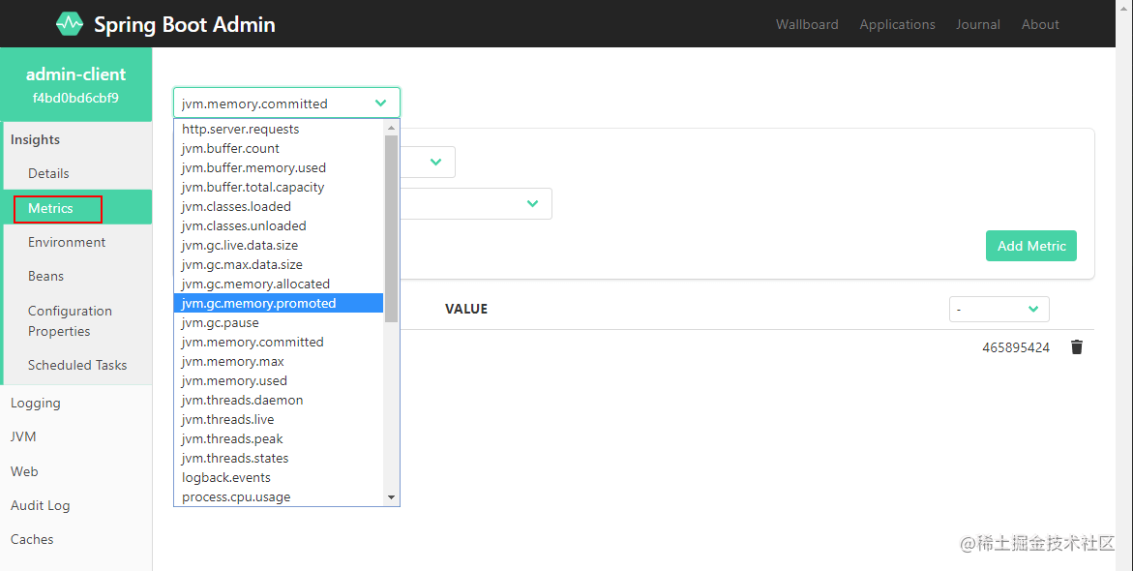
* 度量指标信息,比如JVM、Tomcat及进程信息;
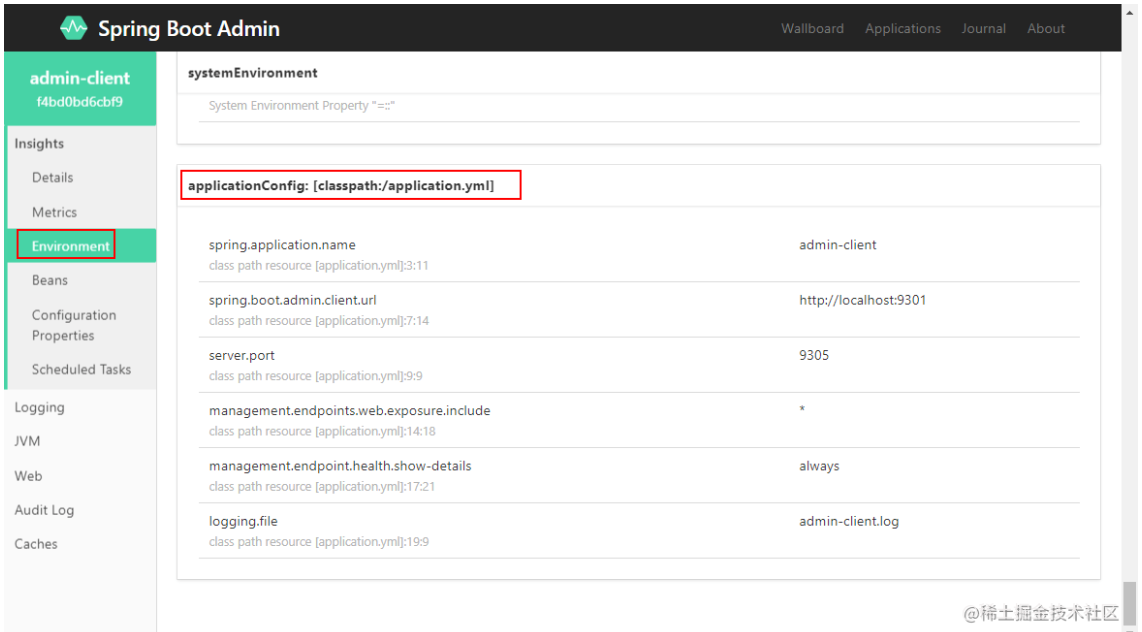
* 环境变量信息,比如系统属性、系统环境变量以及应用配置信息;
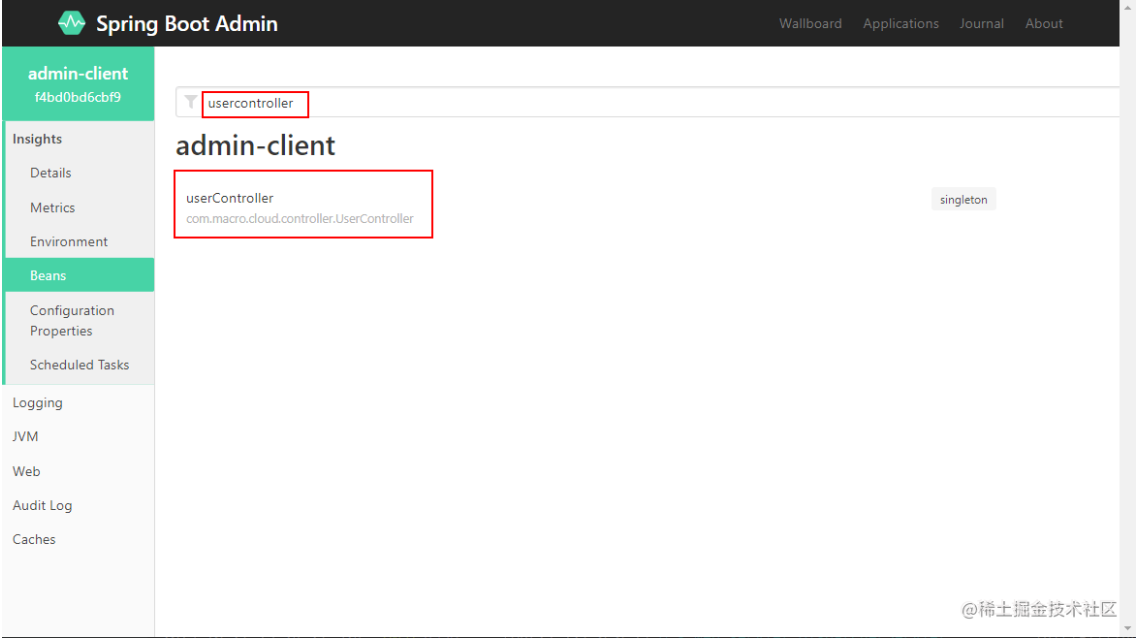
* 查看所有创建的Bean信息;
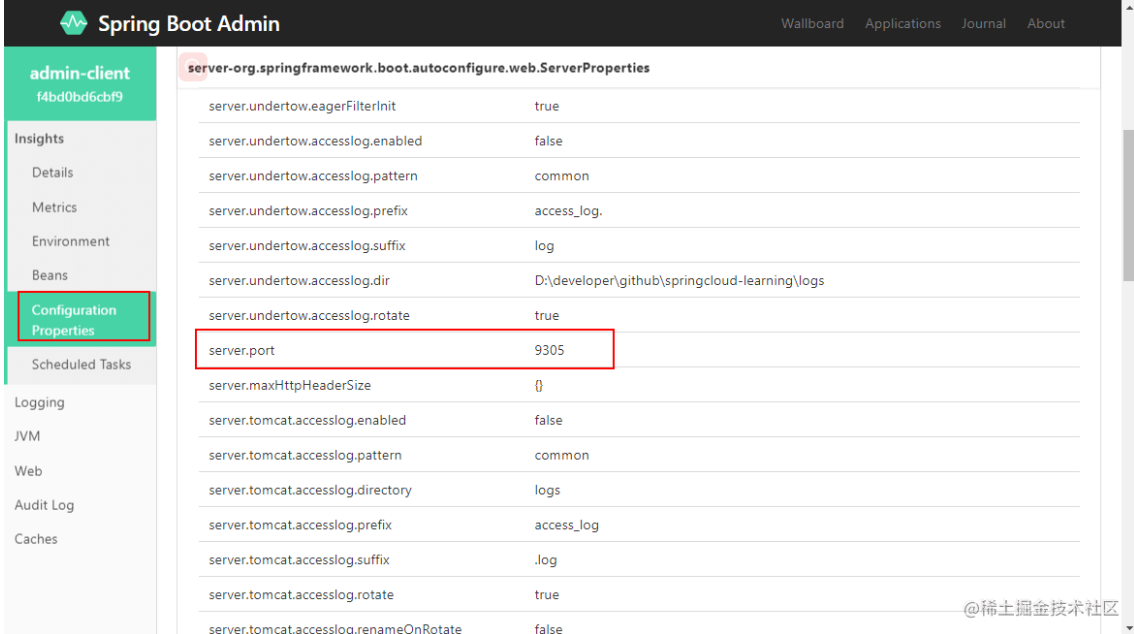
* 查看应用中的所有配置信息;
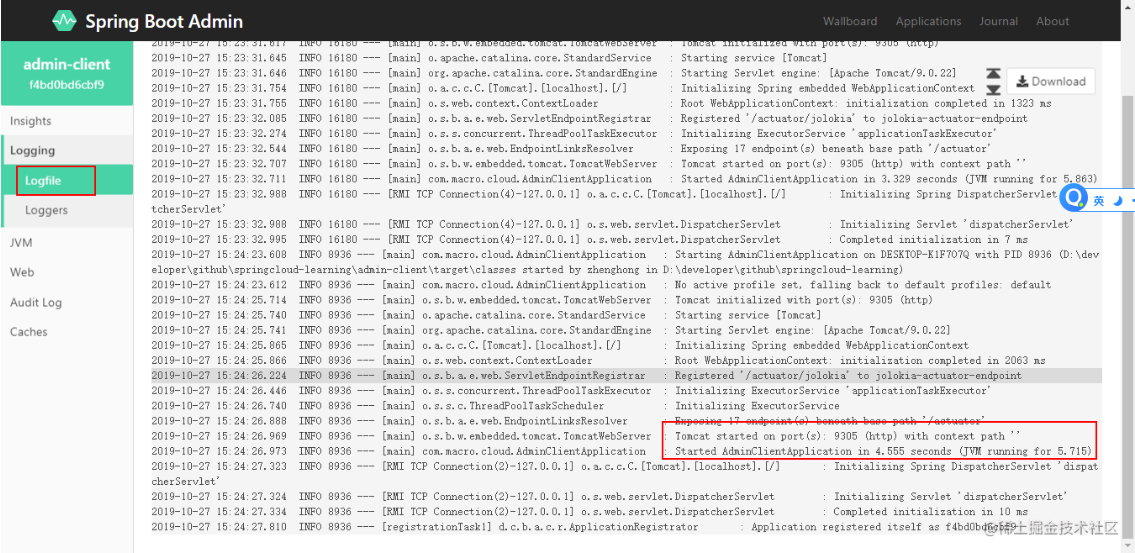
* 查看日志信息,需要添加以下配置才能开启;
`logging:
file: admin-client.log #添加开启admin的日志监控`
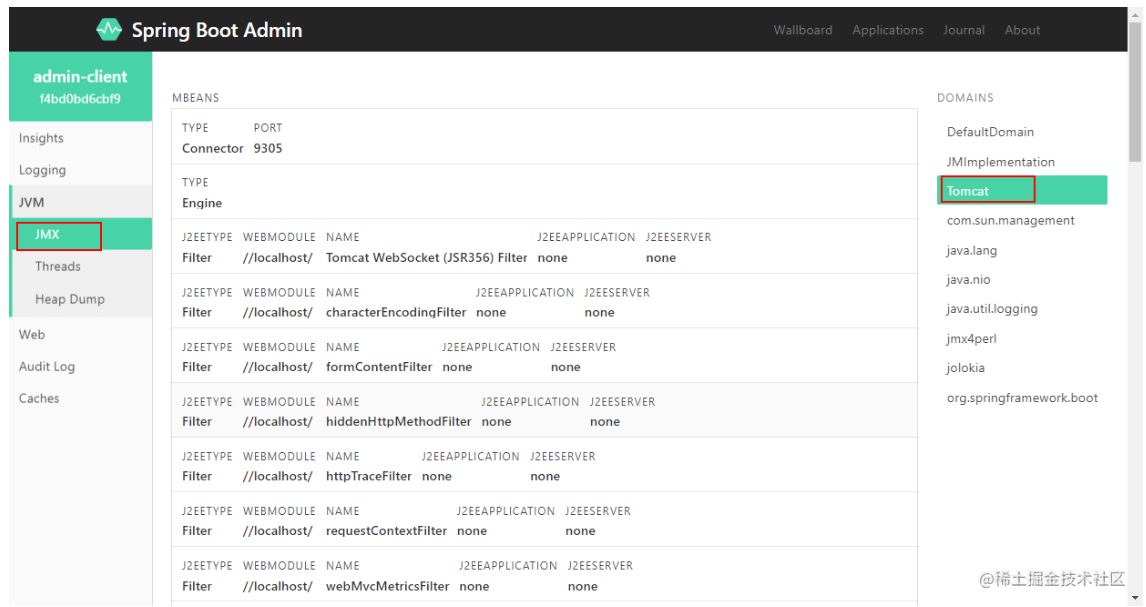
* 查看JVM信息;
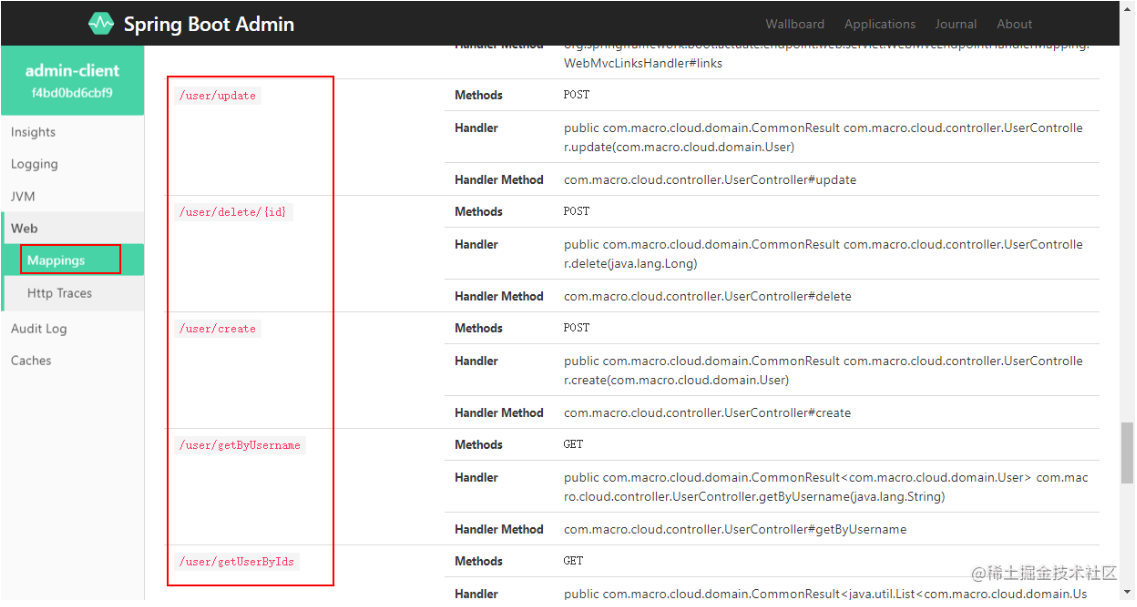
* 查看可以访问的Web端点;
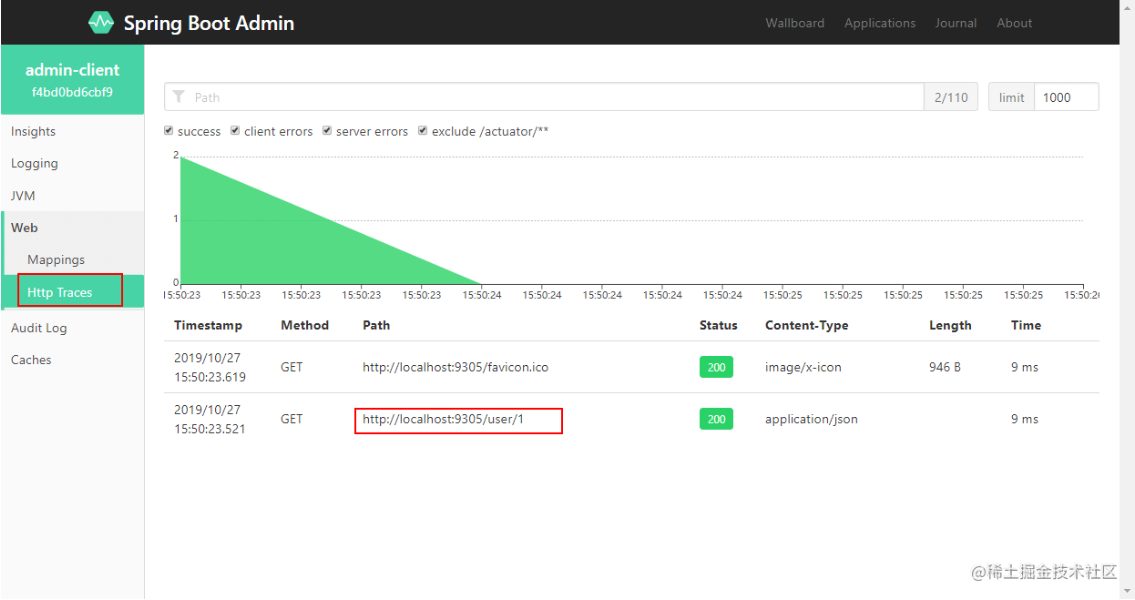
* 查看HTTP跟踪信息;
## 结合注册中心使用
> Spring Boot Admin结合Spring Cloud 注册中心使用,只需将admin-server和注册中心整合即可,admin-server 会自动从注册中心获取服务列表,然后挨个获取监控信息。这里以Eureka注册中心为例来介绍下该功能。
### 修改admin-server
* 在pom.xml中添加相关依赖:
````
org.springframework.cloud
spring-cloud-starter-netflix-eureka-client
````
* 在application-eureka.yml中进行配置,只需添加注册中心配置即可:
````
spring:
application:
name: admin-server
server:
port: 9301
eureka:
client:
register-with-eureka: true
fetch-registry: true
service-url:
defaultZone: http://localhost:8001/eureka/
````
* 在启动类上添加@EnableDiscoveryClient来启用服务注册功能:
````
`@EnableDiscoveryClient
@EnableAdminServer
@SpringBootApplication
public class AdminServerApplication {
public static void main(String[] args) {
SpringApplication.run(AdminServerApplication.class, args);
}
}
````
### 修改admin-client
* 在pom.xml中添加相关依赖:
````
org.springframework.cloud
spring-cloud-starter-netflix-eureka-client
````
* 在application-eureka.yml中进行配置,删除原来的admin-server地址配置,添加注册中心配置即可:
```
spring:
application:
name: admin-client
server:
port: 9305
management:
endpoints:
web:
exposure:
include: '*'
endpoint:
health:
show-details: always
logging:
file: admin-client.log #添加开启admin的日志监控
eureka:
client:
register-with-eureka: true
fetch-registry: true
service-url:
defaultZone: http://localhost:8001/eureka/
```
* 在启动类上添加@EnableDiscoveryClient来启用服务注册功能:
```
@EnableDiscoveryClient
@SpringBootApplication
public class AdminClientApplication {
public static void main(String[] args) {
SpringApplication.run(AdminClientApplication.class, args);
}
}
```
### 功能演示
* 启动eureka-server,使用application-eureka.yml配置启动admin-server,admin-client;
* 查看注册中心发现服务均已注册:[http://localhost:8001/](https://link.juejin.cn?target=http%3A%2F%2Flocalhost%3A8001%2F "http://localhost:8001/")

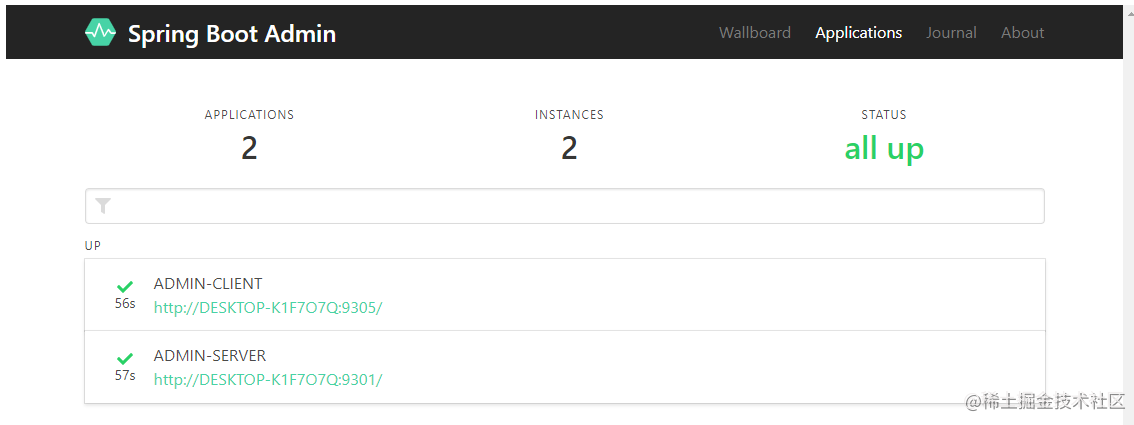
* 查看Spring Boot Admin 主页发现可以看到服务信息:[http://localhost:9301](https://link.juejin.cn?target=http%3A%2F%2Flocalhost%3A9301 "http://localhost:9301")
## 添加登录认证
> 我们可以通过给admin-server添加Spring Security支持来获得登录认证功能。
### 创建admin-security-server模块
* 在pom.xml中添加相关依赖:
```
org.springframework.cloud
spring-cloud-starter-netflix-eureka-client
de.codecentric
spring-boot-admin-starter-server
2.1.5
org.springframework.boot
spring-boot-starter-security
org.springframework.boot
spring-boot-starter-web
```
* 在application.yml中进行配置,配置登录用户名和密码,忽略admin-security-server的监控信息:
```
spring:
application:
name: admin-security-server
security: # 配置登录用户名和密码
user:
name: macro
password: 123456
boot: # 不显示admin-security-server的监控信息
admin:
discovery:
ignored-services: ${spring.application.name}
server:
port: 9301
eureka:
client:
register-with-eureka: true
fetch-registry: true
service-url:
defaultZone: http://localhost:8001/eureka/
```
* 对SpringSecurity进行配置,以便admin-client可以注册:
scss
复制代码
```
/**
* Created by macro on 2019/9/30.
*/
@Configuration
public class SecuritySecureConfig extends WebSecurityConfigurerAdapter {
private final String adminContextPath;
public SecuritySecureConfig(AdminServerProperties adminServerProperties) {
this.adminContextPath = adminServerProperties.getContextPath();
}
@Override
protected void configure(HttpSecurity http) throws Exception {
SavedRequestAwareAuthenticationSuccessHandler successHandler = new SavedRequestAwareAuthenticationSuccessHandler();
successHandler.setTargetUrlParameter("redirectTo");
successHandler.setDefaultTargetUrl(adminContextPath + "/");
http.authorizeRequests()
//1.配置所有静态资源和登录页可以公开访问
.antMatchers(adminContextPath + "/assets/**").permitAll()
.antMatchers(adminContextPath + "/login").permitAll()
.anyRequest().authenticated()
.and()
//2.配置登录和登出路径
.formLogin().loginPage(adminContextPath + "/login").successHandler(successHandler).and()
.logout().logoutUrl(adminContextPath + "/logout").and()
//3.开启http basic支持,admin-client注册时需要使用
.httpBasic().and()
.csrf()
//4.开启基于cookie的csrf保护
.csrfTokenRepository(CookieCsrfTokenRepository.withHttpOnlyFalse())
//5.忽略这些路径的csrf保护以便admin-client注册
.ignoringAntMatchers(
adminContextPath + "/instances",
adminContextPath + "/actuator/**"
);
}
}
```
* 修改启动类,开启AdminServer及注册发现功能:
```
@EnableDiscoveryClient
@EnableAdminServer
@SpringBootApplication
public class AdminSecurityServerApplication {
public static void main(String[] args) {
SpringApplication.run(AdminSecurityServerApplication.class, args);
}
}
```
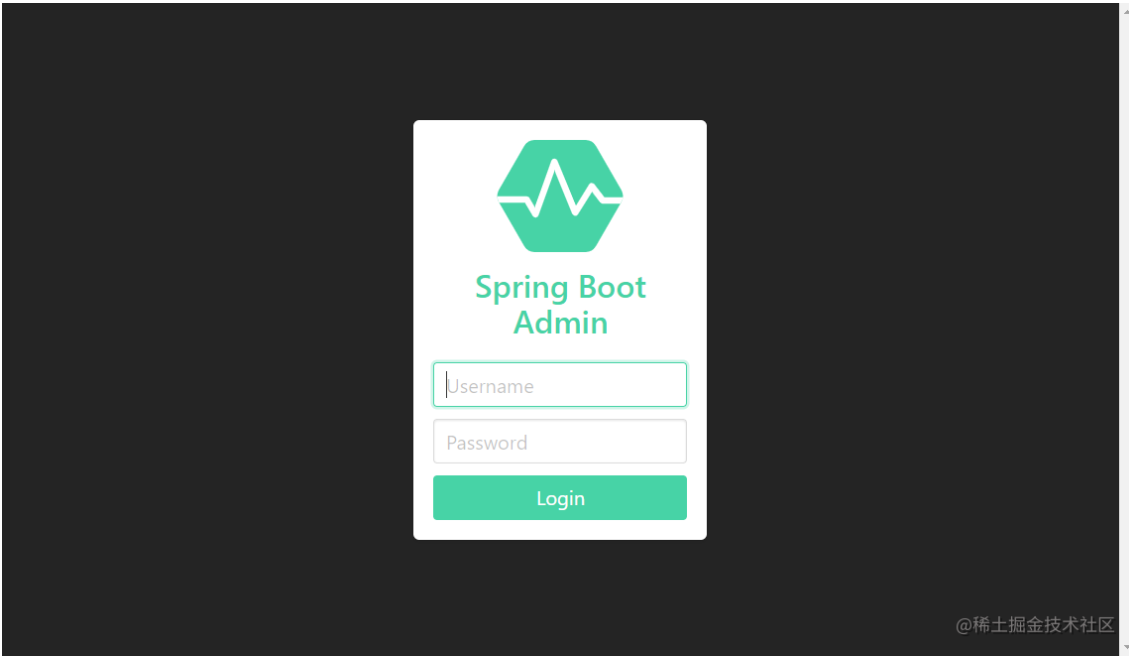
* 启动eureka-server,admin-security-server,访问Spring Boot Admin 主页发现需要登录才能访问:[http://localhost:9301](https://link.juejin.cn?target=http%3A%2F%2Flocalhost%3A9301 "http://localhost:9301")
## 使用到的模块
```
springcloud-learning
├── eureka-server -- eureka注册中心
├── admin-server -- admin监控中心服务
├── admin-client -- admin监控中心监控的应用服务
└── admin-security-server -- 带登录认证的admin监控中心服务`
```